

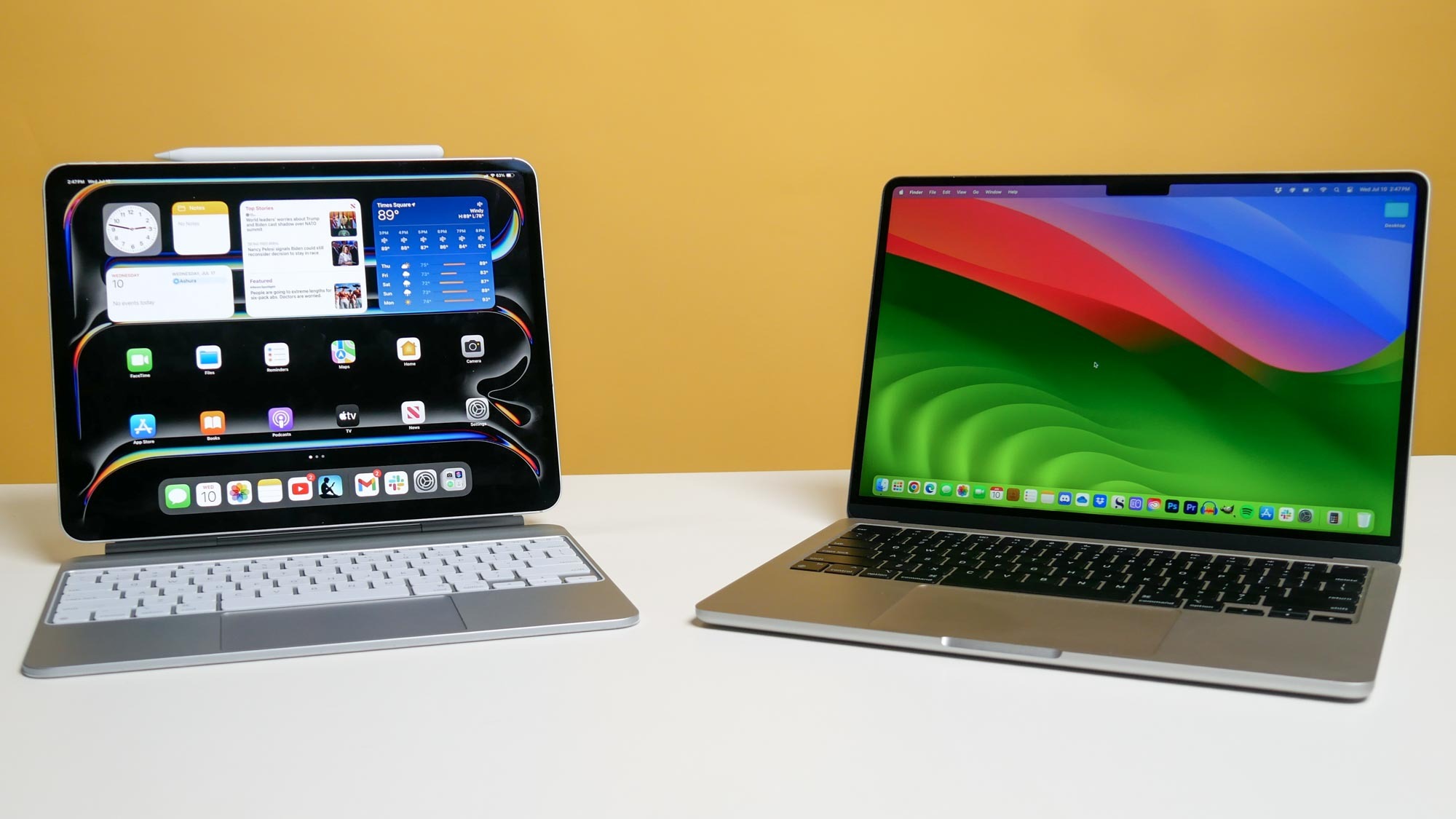
The ipad pro vs macbook air choice depends on how you work. If you primarily use text, code, spreadsheets, or desktop software, the MacBook Air makes more sense. If you’re in a creative field, frequently work on the go, want a touchscreen and Apple Pencil, or already have a desktop, the iPad Pro may suit you better. For most people, the MacBook Air is the more practical daily driver.
But the iPad Pro has genuinely closed the gap. Here’s a detailed breakdown to help you decide.
At a Glance: Key Specs Compared
| Feature | iPad Pro (M4, 2024) | MacBook Air (M3, 2024) |
| Chip | Apple M4 | Apple M3 |
| Display | 11″ or 13″ OLED, 120Hz ProMotion | 13″ or 15″ Liquid Retina, 60Hz |
| RAM | 8GB or 16GB | 8GB, 16GB, or 24GB |
| Storage | 256GB – 2TB | 256GB – 2TB |
| Weight | 444g (11″) / 579g (13″) | 1.24kg (13″) / 1.51kg (15″) |
| Battery life | ~10 hours (Apple claim) | ~18 hours (Apple claim) |
| OS | iPadOS 17 | macOS Sonoma |
| Keyboard | Optional (Magic Keyboard add-on) | Built-in |
| Mouse/Trackpad | Optional | Built-in |
| Starting price | $999 (11″) / $1299 (13″) | $1099 (13″) / $1299 (15″) |
Design & Portability
The iPad Pro wins here, decisively. At 444g for the 11-inch model, it’s lighter than almost anything else you could put in a bag. The 13-inch OLED panel is one of the best screens Apple has ever made – and it doubles as a second screen for your Mac if you have both.
The MacBook Air is no slouch – at 1.24kg it’s still impressively light for a laptop – but you’re carrying a fundamentally larger device. The iPad Pro with Magic Keyboard attached is still lighter than the MacBook Air.
Performance: Closer Than You’d Think
The M4 chip in the iPad Pro is genuinely faster than the M3 in the current MacBook Air in benchmarks. In practice, for most tasks, you won’t notice the difference.
Where you will notice it: the iPad Pro runs iPadOS, which throttles applications in ways macOS does not. A $999 iPad Pro with 8GB RAM can be outperformed in real-world multitasking by the MacBook Air because macOS simply handles multiple applications more efficiently.
For creative tasks like video editing in Final Cut (not available on iPad), audio production, or professional development work, the MacBook Air is more capable in practice despite having a technically older chip.
Display & Creative Work
The iPad Pro’s OLED display is genuinely stunning – better contrast, true blacks, and Tandem OLED technology that makes it the best screen Apple currently sells. For illustrators, photographers, and visual artists using Apple Pencil, nothing competes.
Apple Pencil Pro support is exclusive to the iPad and represents a genuine workflow advantage for anyone in illustration, note-taking, annotation, or design sketching. If you use a stylus for work, this comparison ends here: get the iPad Pro.
Software & Workflow: The Deciding Factor
This is where the iPad Pro still loses the practical comparison for most people.
- No native file system access (though Files app has improved significantly).
- Many professional apps either don’t exist on iPadOS or are heavily stripped-down versions.
- Browser limitations – no extension-heavy workflows, no full web app support.
- Multitasking still lags behind macOS for complex workflows.
- No Xcode – developers cannot build iOS apps on an iPad.
macOS simply has 40 years of software depth that iPadOS hasn’t replicated. If your workflow relies on specific software, check that it exists and functions fully on iPad before deciding.
Battery Life
| Scenario | iPad Pro | MacBook Air |
| Light browsing and email | ~12 hours | ~18 hours |
| Video streaming | ~10 hours | ~15 hours |
| Heavy creative work | ~7 hours | ~10 hours |
| Charging speed | Fast (USB-C / 30W) | Fast (MagSafe / USB-C) |
The MacBook Air has significantly better real-world battery life. If you’re away from power for extended periods, this matters.
Price: What You’re Really Paying
| Configuration | iPad Pro | MacBook Air |
| Base model (256GB) | $999 (11″) / $1299 (13″) | $1099 (13″) / $1299 (15″) |
| + Magic Keyboard | + $299 / + $349 | Included |
| + Apple Pencil Pro | + $129 | N/A |
| Total (fully equipped) | $1427+ (11″) / $1777+ (13″) | $1099 – $1299 |
The iPad Pro gets expensive fast once you add accessories. A fully-equipped 13-inch iPad Pro with keyboard and pencil costs significantly more than a MacBook Air with equivalent storage.
Who Should Buy What
| Use Case | Better Choice |
| Writers, coders, students doing essays | MacBook Air |
| Illustrators, designers using a stylus | iPad Pro |
| General productivity and multitasking | MacBook Air |
| Consuming media, reading, light note-taking | iPad Pro |
| Professional developers (Xcode, terminal) | MacBook Air |
| Artists who want a portable drawing tablet | iPad Pro |
| Budget-conscious buyers who want one device | MacBook Air (better value) |
| Someone who already owns a Mac desktop | iPad Pro (great companion) |
Final Verdict
The MacBook Air remains the better choice for the majority of users because macOS is more capable as a primary computing platform, it’s better value when accessories are factored in, battery life is superior, and it does everything most people need without compromise.
The iPad Pro is the right choice if you’re a visual creative who uses a stylus, if you already have a desktop Mac and want a powerful mobile companion, or if portability and display quality are your top priorities.
Don’t let the spec sheet mislead you. The M4 chip in the iPad Pro is impressive – but a chip is only as useful as the software running on it. For most workflows, macOS makes better use of its hardware than iPadOS does.
